Restore Old Photos Online With AI
What Photo Restore can do:
Remove scratches and imperfections
Enhance colors and contrast
Restore faded details
Improve overall quality
Ready to Restore?
Upload your photo and let AI restore it
How to Use Restore Photo?
1
Upload Photo
Upload the photo you want to restore.
2
Click Restore
Click the restore button to restore the photo.
3
Download Photo
Download the restored photo.
Professional AI photo restoration

Restore damaged photos

Remove stains & spots
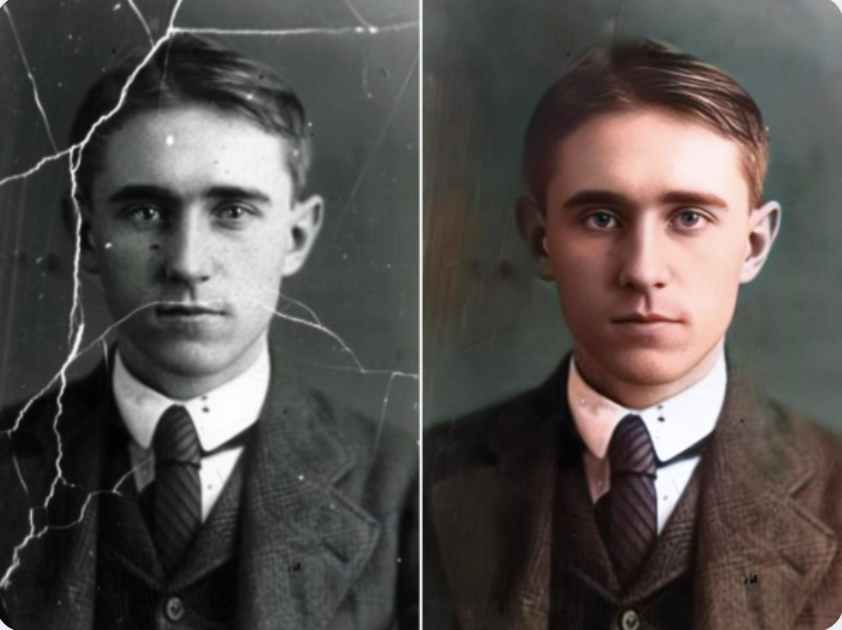
Fix scratches & tears

Repair B&W photos
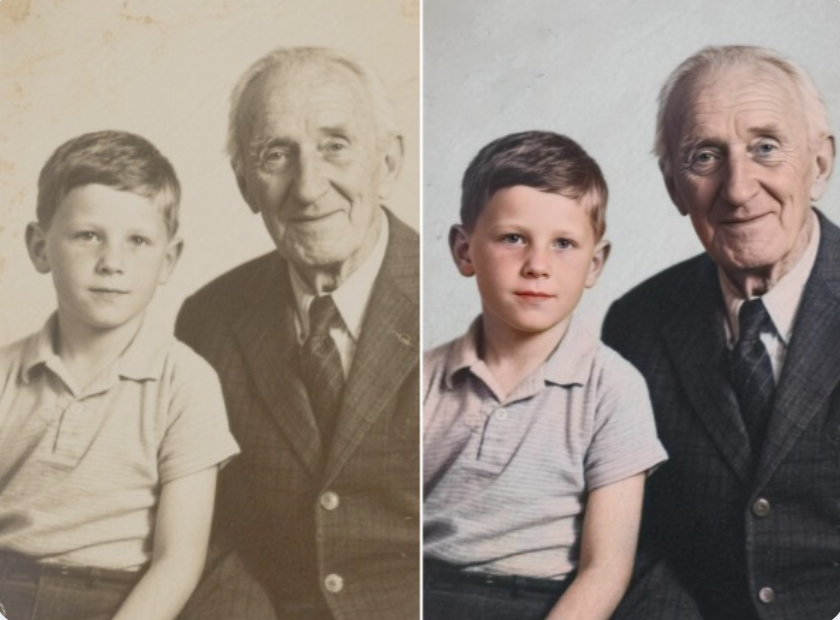
Restore faded photos

Enhance colors & blurry
FAQ About Restore Photo
Find answers to common questions about our photo restoration service
How to restore a photo?
You can upload the photo to the website,and then click the restore button.
Which image types can be restored?
All image types can be restored,including png、jpg、jpeg、webp,etc.
Which photos can be restored?
All photos can be restored,including stains、scratched and torn photos,faded photos,etc.
How long will it take to repair a photo?
It will take 1 minute to repair a photo,but the quality of the restored photo is not guaranteed.
Is it free to use restore photo?
We use high-quality AI model to restore photos,so it is not free to use.You can see the example photos on the website.
How many credits will be deducted for each photo restoration?
1 credit will be deducted for each photo restoration.